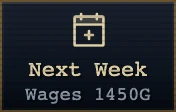
You pay mercenaries in gold each game week. Their wages rise as their abilities grow, and some traits affect pay. Fund the payroll with gold from tower battles and sales of equipment you do not need.
Check the payroll on the "Next Week" button in "Base". Open a mercenary’s "Growth" tab under "Mercs" for individual wages, and check a candidate’s pay in "Recruit" before signing.
Keep enough gold for payroll before upgrading facilities or signing a candidate. Unpaid wages become debt, which you pay before the current week’s wages at the next settlement. Continued arrears lower morale and can lead mercenaries to leave.